By ShriprasannaPublished July 30, 2026Updated September 26, 2026
Best AI Humanizer in the US (2026)
The United States built the AI detection industry, and it is now the country most publicly losing faith in it.
Vanderbilt switched off Turnitin's AI detector in August 2023 "for the foreseeable future" (Vanderbilt's announcement). Yale's Poorvu Center does not endorse AI-detection software or enable those features in Canvas, and calls detectors unsuitable for high-stakes decisions (Yale Poorvu Center). We track the running list in our post on universities dropping AI detection, and it keeps getting longer.
And yet nothing about that makes an American student's life simpler. Plenty of campuses still license a detector, and any instructor can paste a paragraph into a free web checker whatever the institution has decided. Your professor's syllabus, not the national mood, decides what happens to your paper.
The American situation has its own shape: an AI-checking layer that depends entirely on which learning management system your school bought and what it licensed on top of it, an honor-code culture that punishes non-disclosure more than the AI itself, a fast-growing process-tracking layer that no humanizer can touch, and more than a million international students who can be falsely flagged for writing in their second language.
Sorting out which of those applies to you matters more than which tool you pick. So we will start there.
Step One: Find Out Which Detector Your School Actually Runs
Most American students have no idea what is scanning their work. There are three realistic answers, and then one very widespread misunderstanding that is worth clearing up.
Turnitin. The default at many US schools. Its AI indicator estimates what share of the qualifying prose looks AI-written and highlights those passages. It needs at least 300 words of prose, shows scores from 1% to 19% only as an asterisk, and is visible to instructors, not students. Turnitin itself says the percentage should not be the sole basis for action (Turnitin's AI detection FAQ). If your school uses Canvas, or Blackboard with a Turnitin add-on, this is probably you.
Copyleaks. The one most students have never heard of. Some institutions license it as their AI detector alongside the LMS, so on a Blackboard campus an AI score is likely to come from a separately licensed tool like this one, not from Blackboard itself.
GPTZero. Common in US classrooms as an instructor-level tool rather than an institutional one, often used by a single professor rather than the whole college.
Now the misunderstanding: SafeAssign is not an AI detector. It is Blackboard's similarity checker. It matches your text against existing sources and tells you what overlaps. It answers "has this been written before," not "was this written by a machine." Anthology, which owns Blackboard, discusses SafeAssign as an anti-plagiarism tool distinct from AI detectors (Anthology's help center). If you have been told SafeAssign returned an AI score on your paper, ask which tool actually produced it. Our full SafeAssign versus Turnitin breakdown covers what each one measures.
Here is why this matters practically rather than pedantically. On a Blackboard campus the useful question is not how good SafeAssign is at catching AI — it is whether your school bought Turnitin, Copyleaks or another detector on top of it. Some did. Some never got round to it, and in those units the only AI checking happening is an individual instructor pasting paragraphs into a free web tool. Same LMS, completely different exposure, and nothing in your syllabus is obliged to tell you which one you are living under. Ask.
The Honor Code Layer Nobody Outside the US Quite Gets
American academic integrity does not primarily run on software. It runs on honor codes, student-run honor councils, and academic integrity offices with their own hearing procedures. Schools like the University of Virginia and Princeton have student-adjudicated systems that predate computers by a century.
That changes what the offense actually is. Through 2026, the dominant US policy shift has been away from "AI is prohibited" and toward "undisclosed AI use is a violation." Disclosure has become the enforcement mechanism. Harvard-style guidance permitting AI for idea generation if disclosed and instructor-approved is now closer to the norm than a blanket ban.
Read that carefully, because it has a direct consequence for tool choice: in a disclosure regime, running text through a humanizer to conceal AI you were required to declare is the violation, no matter what the detector says afterward. A clean detector score does not make you compliant. It just makes you undetected.
The honest version: a humanizer is a fix for detection error, not a defense in an honor council hearing. If your syllabus requires disclosure, disclose.
There is a second reason the honor-code layer matters. It is the reason process evidence is spreading.
The Thing No Humanizer Can Solve
GPTZero now offers writing replay inside Google Docs. Its site promises "video proof of the writing process," lets a reviewer "watch documents being written, view copy and pastes, and check for unnatural typing patterns," lists integrations with Google Classroom and Canvas, and claims more than a million educators (GPTZero). The direction of travel is from judging text to verifying authorship.
None of that analyzes your text. It analyzes your process. As we said in our GPTZero bypass guide, a document that materializes in one paste looks exactly like what it is, and no statistical humanization changes that.
Any tool marketing itself as "undetectable" in a US classroom running authorship tracking is overselling. Draft in the tracked document. Type, revise, leave a history. That is not a workaround; it is the only thing that works.
Who This Actually Protects: International and ESL Students
The largest legitimate use of humanizers on American campuses is defensive, and it matters most to the 1.2 million international students US colleges hosted in 2024/25 (IIE Open Doors 2025).
Stanford researchers tested seven GPT detectors on 91 TOEFL essays written by non-native English speakers. On average the detectors flagged 61% of them as AI-generated, and 97.8% were flagged by at least one detector, while essays by native speakers were accurately identified (Liang et al., 2023; more in our post on AI detection and ESL students). The mechanism is not mysterious. Detectors reward unpredictable word choice and varied sentence length. Careful second-language writing produces the opposite: safe vocabulary, uniform sentence length, textbook constructions. Low perplexity reads as machine output.
Layer that onto a campus where the AI checking is a bolt-on nobody explains — a detector switched on by procurement, or a professor's browser tab — and you get an international student on an F-1 visa defending work she wrote herself against a score whose provenance nobody in the room can account for, with an academic integrity finding that could affect her immigration status. That is a meaningfully higher-stakes version of the same problem a domestic student faces. It is also why some students now pre-check their own writing before they submit it.
The Ranking
How we ordered this list: by what you can verify, not by bypass claims. We compared list prices, monthly word allowances, per-request limits and free-trial terms on each vendor's pricing page in September 2026, plus whether a checker is built in and how well the tool fits essay-length coursework. We have not published live bypass tests against Turnitin, GPTZero or anyone else (how we test), so there are no pass rates on this page. Prices are native USD, so there is no conversion to squint at. And we make SupWriter, so weigh our first pick with that in mind.
1. SupWriter
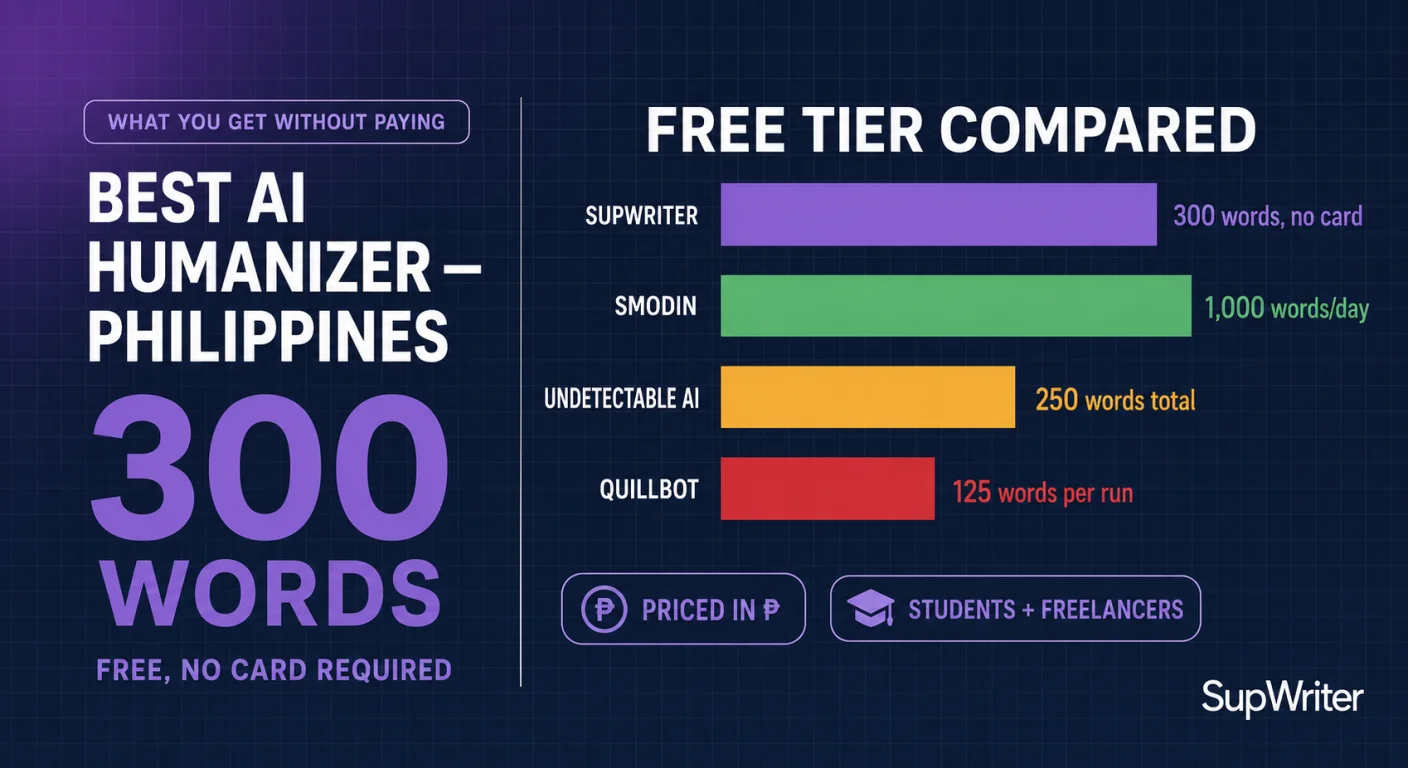
Why it leads for US students: it puts the rewrite and a pre-check in one workspace, and its limits are published. Basic is $9.99 a month for 5,000 words with 500 words per request. Pro is $19.99 for 15,000 words with 2,000 words per request, which is the tier that takes a full essay in one pass. Annual billing halves those list prices (pricing). The free tier is 300 words total with no credit card required, though you do sign in first.
The built-in AI detector gives you one score plus sentence highlights, so you can see which lines still read as machine-written before you submit. Treat it as a pre-check based on one scoring model, not as the detector your school uses: the twelve named labels in the panel are a guide mapped from that one score, not twelve separate checks. Results vary by detector, text length and topic, and no tool can guarantee a result.
Pros: humanizer and detector in the same place, an Academic writing tone on paid plans, 50+ languages, and an API, MCP server, Chrome extension, iOS app and command-line tool if you work outside the browser. No card needed to try it.
Cons: it is not the cheapest per word. Basic works out to $2.00 per 1,000 words on monthly billing ($1.00 on annual), more than several tools below. Basic's 500-word request cap means splitting a long paper; Pro removes most of that friction. 300 free words is a sanity check, not a free plan. And like every tool here, it does nothing about authorship tracking.
Best for: students who want to rewrite and pre-check in one place, especially anyone whose own writing keeps getting flagged.
2. Undetectable AI
The best-known brand in the category, with the cleanest onboarding and genuine name recognition on US campuses.
Pros: Starter is $9.99 a month for 10,000 words, or $5.00 a month on annual billing — twice SupWriter Basic's allowance for the same monthly price. The pricing page also advertises a money-back guarantee tied to flagged output; read its conditions before you count on it.
Cons: the free trial is limited to 250 words, so you test one paragraph and then hit a payment screen. The pricing page does not state a per-request limit, so check how it handles a full-length paper before you commit.
Best for: regular use where a 10,000-word monthly bank fits.
3. Phrasly
Priced for volume: the Unlimited plan is $10.99 a month billed annually, with no monthly cap on humanizing and up to 5,000 words per run. A $2 three-day access pass lets you try it first.
Pros: no word bank to ration, and a per-run limit long enough for most papers.
Cons: the headline price assumes a year upfront, and the pricing page does not clearly show the month-to-month rate. The $2 pass is time-limited, so note when it ends.
Best for: heavy users who are happy to commit for a year.
4. Walter Writes
Generous on volume: Starter is $8 a month billed annually ($96 a year) for 30,000 words, with 750 words per request. That works out to about $0.27 per 1,000 words, the lowest per-word price on this page.
Pros: the best word allowance per dollar here, and the pricing page says some free usage is available.
Cons: the $8 rate means paying for a year upfront. The 750-word request cap means splitting longer papers, and citation handling is not advertised, so verify it manually on a referenced draft before trusting it with a term paper.
Best for: high-volume writing where you can verify quality yourself.
5. Humbot
Pros: a simple workflow, and the Basic plan is listed at $7.99 a month. Its FAQ mentions a free plan for testing features.
Cons: Basic splits its allowance into 3,000 "Basic" words and 1,000 "Advanced" words a month, with a 500-word input limit per request. That is thin for coursework.
Best for: short English pieces.
6. WriteHuman
Pros: Basic is $12 a month on annual billing ($20 month-to-month) for 80 requests of up to 600 words each, and every plan includes an AI detector. There is a Chrome extension, and the free plan gives you three 250-word requests a month.
Cons: the per-request cap is the real limit. A 1,800-word paper becomes three separate requests on Basic, stitched back together by hand. Our WriteHuman review goes through the plans.
Best for: blog and personal writing, not long submissions.
7. NaturalWrite
Pros: Pro is $9.99 a month billed annually for 15,000 words, and Basic is $4.99 for 5,000 — the same annual prices and allowances as SupWriter's Basic and Pro.
Cons: the pricing page does not state per-request limits or a free allowance.
Best for: budget-first users doing low-stakes content work.
8. QuillBot
Probably the most-used writing tool on American campuses, and the most misunderstood entry here. It is a paraphraser first.
Pros: familiar and good at rewording. The free plan paraphrases up to 125 words at a time in two modes (Standard and Fluency). Premium is $8.33 a month billed annually and unlocks nine modes plus custom ones.
Cons: its AI Humanizer is capped at 125 words on the free plan. More importantly, a paraphrase is not a disguise: Turnitin has flagged AI text run through paraphrasing tools since December 2023, in English (Turnitin's release notes). We cover that in can Turnitin detect QuillBot paraphrasing.
Best for: paraphrasing. Not for clearing a detector.
One to approach carefully: JustDone. Its $2 seven-day access auto-renews at $29.99 a month; Pro is $19.99 a month, or $9.99 a month on annual billing. If you try the $2 week, set a reminder before day seven. Our JustDone review covers the rest.
All competitor prices above come from each vendor's pricing page, checked in September 2026.
The Money Math
Since everything here is priced in dollars already, the useful comparison is what a dollar actually buys, and on what billing terms.
| Tool | Price shown | Words per month | Per 1,000 words | Words per request | Free option |
|---|---|---|---|---|---|
| Walter Writes (Starter) | $8, billed annually | 30,000 | about $0.27 | 750 | Some free usage (amount not stated) |
| NaturalWrite (Pro) | $9.99, billed annually | 15,000 | about $0.67 | Not stated | Not stated |
| SupWriter (Basic) | $9.99 monthly, $4.99 annual | 5,000 | $2.00 monthly, $1.00 annual | 500 | 300 words total, sign-in, no card |
| SupWriter (Pro) | $19.99 monthly, $9.99 annual | 15,000 | $1.33 monthly, $0.67 annual | 2,000 | – |
| Undetectable AI (Starter) | $9.99 monthly, $5.00 annual | 10,000 | $1.00 monthly, $0.50 annual | Not stated | 250-word trial |
| Phrasly (Unlimited) | $10.99, billed annually | Unlimited humanizing | – | 5,000 | $2 for three days |
| WriteHuman (Basic) | $20 monthly, $12 annual | 80 requests | – | 600 | Three 250-word requests a month |
| Humbot (Basic) | $7.99 | 3,000 Basic + 1,000 Advanced | – | 500 | Free plan (allowance not stated) |
| QuillBot (Premium) | $8.33, billed annually | No monthly cap listed | – | Not stated | 125 words, two modes |
| JustDone (Pro) | $19.99 monthly, $9.99 annual | Not stated | – | Not stated | $2 for 7 days, then $29.99 a month |
Competitor figures: vendor pricing pages, checked Sept 2026. SupWriter figures are list prices; student, regional and promotional discounts exist.
Two notes before anyone quotes that table at us. First, compare like with like: several of those rates only exist if you pay for a year upfront, while others are month-to-month. Second, there is no bypass column, on purpose. The pass rates quoted around this category are mostly vendors' own claims, and no tool can promise how Turnitin or GPTZero will score your specific paper. The practical test is your own draft, checked before you submit.
Our full pricing comparison goes deeper. The short version: on raw words per dollar, SupWriter is not the cheapest tool here. Walter Writes and NaturalWrite's annual plans give you more. What you are really choosing between is volume, per-request limits, trial terms, and whether checking happens in the same place as rewriting.
If You Get Flagged Anyway
American procedure is specific enough to prepare for. Detector output is an allegation, not a finding, and Turnitin itself says its percentage should not be the sole basis for action.
Keep version history on every draft, in Google Docs or Word, from the first outline. Save your notes and sources. If you are called in, ask which tool produced the score, what threshold the department uses, and whether institutional policy permits detection output as sole evidence. At Vanderbilt the Turnitin detector is not even switched on, and Yale's teaching center calls detectors unsuitable for high-stakes decisions. Our guide on proving your writing is human walks through the rest, including what to do when a professor accuses you.
The Bottom Line
The US is the hardest country to generalize about, because a Turnitin campus with a strict honor code and a Blackboard campus that never licensed AI detection at all are effectively different countries. Find out which one you are in before you buy anything.
SupWriter takes the top spot because it pairs the rewrite with a sentence-level pre-check, publishes its limits, and lets you try it without a card. It is not the cheapest per word: if raw volume is your constraint, Walter Writes and NaturalWrite's annual plans buy more words per dollar, and Undetectable AI gives you a bigger monthly bank for the same $9.99. If your budget is the binding constraint, start with a free humanizer run on your own flagged paragraph and check it against an AI detector before paying anyone.
And keep the two problems separate in your head. Humanization can help with broken detection. It does not fix a disclosure requirement, and it cannot touch a replay of you pasting an essay into a tracked document.
Test SupWriter's AI humanizer on the paragraph that got flagged: 300 words free, no credit card required.
Make an AI-assisted draft sound like you
Rewrite stiff, AI-sounding passages in a natural voice.
Free account, no card · 300 free words