By ShriprasannaPublished July 30, 2026Updated September 26, 2026
Best AI Humanizer in Canada (2026)
Most countries in this comparison series have the same basic shape: universities bought an AI detector, students got flagged, and a market for humanizers appeared. Canada broke that pattern early.
Three of the country's most recognisable universities looked at Turnitin's AI detection feature and decided not to use it. The University of British Columbia declined to enable it in 2023 and said it would not centrally install any AI-detection tool. Western University used it during the free preview and, according to the Western Gazette, stopped in January 2024 once it became a paid feature, citing inaccurate results. The University of Waterloo announced in May 2025 that it would discontinue Turnitin's AI detection, effective September 2025, after an internal review found cases where the tool flagged human-written text as 100% AI-generated. Waterloo is on our running list of universities dropping AI detection, and it is there for a reason.
So the honest question for a Canadian student in 2026 is not "which humanizer beats the detector." It is "does my school even run one, and what happens to me if it does." That changes which tool you should buy, and it is why this post is ordered differently from our India guide.
The Canadian Detection Map Is a Patchwork
Here is the part nobody tells you at orientation. A university declining to enable AI detection at the institutional level does not mean nobody at that university is checking.
Many Canadian post-secondary institutions run D2L Brightspace, a Canadian product built in Kitchener. Where AI detection exists, it generally arrives through an integration such as Turnitin, and whether that integration is licensed and enabled is decided campus by campus, and in some systems faculty by faculty. Two students in the same city can be on the same LMS with completely different exposure.
Then there is the layer under the universities. Ontario colleges, polytechnics, and CÉGEPs in Québec have not moved as a bloc, and policies vary by institution. And an instructor at a school that officially disabled Turnitin's AI feature can still paste work into a free web detector like GPTZero or ZeroGPT, which no policy memo can fully stop.
The practical takeaway: "my university dropped AI detection" is an institutional fact, not personal protection. The tool that flags you may be a free website your instructor found in a browser tab.
If you want to know how reliable any of this is before you trust it, our breakdown of whether AI detectors are actually accurate walks through the published evidence.
Why Canada Has an Unusually High False-Positive Exposure
Canada's universities did not retreat from AI detection out of squeamishness. Accuracy was the headline reason, and bias against students writing in a second language came up again and again.
Stanford researchers ran seven detectors on 91 TOEFL essays written by non-native English speakers. On average the detectors flagged 61% of those human-written essays as AI-generated, and 97.8% of them were flagged by at least one detector, while essays by native speakers were classified accurately (Liang et al., 2023; more in our ESL detection guide). That finding lands harder in Canada than almost anywhere, because Canada built its higher education funding model around international enrolment.
The federal government has tightened study permits hard. IRCC expects to issue up to 408,000 study permits in 2026, including 155,000 to newly arriving students, and the number of study permit holders fell from over 1 million in January 2024 to about 725,000 by September 2025 (IRCC notice, November 2025). That still leaves hundreds of thousands of international students in Canadian classrooms. Add domestic students who grew up speaking Punjabi, Mandarin, Tagalog, Arabic, or French at home and write academic English as a learned register, and you get a very large population whose natural writing can score badly on the signals many detectors lean on, such as perplexity and burstiness.
Waterloo's announcement names the problem directly: detection tools are "biased toward students whose first language is not English." That is not a subtle bias. It is the reason a Canadian student can end up defending writing that was already theirs, and why process evidence (more on that below) matters more than any tool.
The Ranking
We make SupWriter, so weigh this list accordingly. We ranked on things you can check yourself: French capability, price after conversion, whether you can try the tool without handing over a card, and whether a detector check is built in. We did not rank on bypass rates. We have not published live-detector bypass tests (how we test), and any such rate would depend on the detector, the text, and the day.
Competitor prices and limits below come from each vendor's pricing page, checked in September 2026. Where a page would not load, we say so rather than guess.
1. SupWriter
Why it's first here: it covers both official languages in one editor (50+ languages, French included), has a built-in AI detector for a pre-check, and lets you try it without a card. It is also our product, which is the other reason it is first, so judge it on the free words rather than on our say-so.
SupWriter rewrites AI-assisted drafts so they read naturally. Before you submit, check the result with the built-in detector. That detector is a pre-check based on one scoring model, not the tool your school licenses, and no humanizer can guarantee how a specific instructor's detector will score your text.
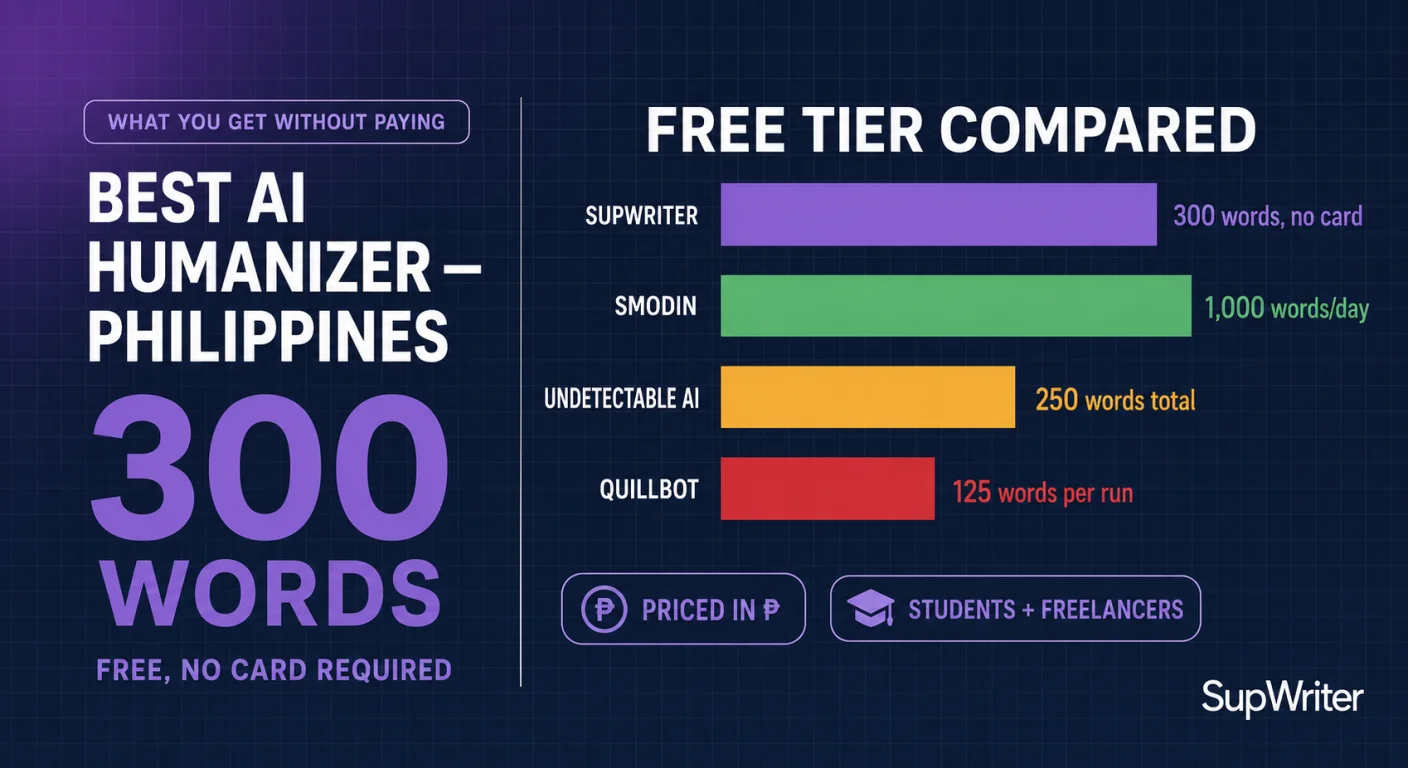
List prices start at 9.99 USD a month for 5,000 words on Basic, about 14 CAD, or 4.99 USD a month billed annually (59.88 USD a year, about 84 CAD). Pro is 19.99 USD a month for 15,000 words. The free tier is 300 words with no credit card required, though you do need to create an account, so you can judge the output before your Canadian bank charges you a foreign transaction fee to find out.
Pros: French and English (and 50+ languages overall) in one editor, a built-in AI detector with sentence highlights so you can see which passages read as machine-written, a no-card trial, and an API, Chrome extension and iOS app if you work across tools.
Cons: it is a US-dollar product like everything else here, so you still eat the conversion. At list price it is not the cheapest per word: Basic works out to 2.00 USD per 1,000 words on monthly billing, and several tools below cost less. And the built-in detector is a guide based on one scoring model, not Turnitin.
Best for: Canadian students and researchers who write in English, French, or both and want the detector check in the same place.
2. Undetectable AI
One of the best-known brands in the category, and the strongest value at the entry tier.
Pros: 9.99 USD a month for 10,000 words, about 14 CAD, or 5.00 USD a month billed annually. That is twice SupWriter's Basic allowance for the same monthly price. Paid plans include its AI detector and an auto-typer tool (vendor pricing page, checked Sept 2026), and it says its tools support 50+ languages, with English the most accurate (vendor homepage).
Cons: the free trial is 250 words total, which is one paragraph rather than an evaluation. Its pricing page also advertises a "money-back guarantee if output flagged is not human"; read the conditions before you count on it. And by the vendor's own description, French will not get the same accuracy as English.
Best for: users who want a well-known name and more words per dollar at the entry tier.
3. QuillBot
One of the most familiar writing tools on Canadian campuses. It does have a dedicated AI Humanizer, not just a paraphraser, and it is candid about what that humanizer is for.
Pros: the humanizer works in French as well as Spanish, German, Portuguese and four dialects of English, including Canadian English (QuillBot AI Humanizer). Premium is 8.33 USD a month billed annually, about 11.75 CAD, and includes full access to the humanizer, paraphraser and AI detector (vendor pricing page, checked Sept 2026), and many students already know the interface.
Cons: QuillBot says plainly that its humanizer "isn't a tool for evading AI detection." The free humanizer and the free paraphraser are each capped at 125 words, which means a French chapter comes back in fragments you then stitch together by hand, and that is exactly where agreement and tense errors creep in. The pricing page we checked showed only the annual rate, so confirm the monthly price at checkout.
Best for: readability passes and paraphrasing help, especially in French, on a budget.
4. WriteHuman
Pros: AI detection checks included on every plan, and a small free allowance of 3 requests a month at up to 250 words each (vendor pricing page, checked Sept 2026).
Cons: it is priced by request rather than by word. Basic is 20 USD a month, about 28 CAD, for 80 requests of up to 600 words each, or 12 USD a month billed annually. Long documents need splitting, and the pricing page does not say clearly which languages the humanizer itself supports, so test French before you pay.
Best for: regular short-to-medium English rewrites where you want a detector check included.
5. Phrasly
An unlimited-plan option.
Pros: its "Unlimited" plan advertises unlimited humanizations with up to 5,000 words per process at 10.99 USD a month billed annually, about 15.50 CAD, and a 2.00 USD three-day pass lets you try it (vendor pricing page, checked Sept 2026).
Cons: there is no free tier, only the paid pass. The pricing page does not list supported languages or a built-in detector, so confirm French support first. Monthly billing costs more than the annual rate, so check the figure at checkout.
Best for: heavy English volume where an unlimited plan beats a word cap.
6. Smodin
Pros: a student-focused toolset in one subscription; its pricing page lists Starter and Premium plans that bundle "Advanced AI Detection & Humanization."
Cons: its pricing page would not show current prices or word limits when we checked in September 2026, so we cannot compare it fairly on cost. Check the live page before you plan a semester around it, and read the renewal and cancellation terms before you subscribe from a Canadian card.
Best for: students who already use Smodin's other tools and want one subscription.
7. Humbot
Pros: its pricing page lists an "All-in-one AI Checker" on every tier, plus separate Basic and Advanced word allowances.
Cons: the pricing page did not display prices when we checked in September 2026, so see the vendor's current pricing before you compare. We could not confirm French humanizer support either.
Best for: short English snippets where accuracy is not critical.
What These Prices Actually Cost in Canadian Dollars
The tools here list prices in US dollars. The Bank of Canada rate was 1.4145 CAD per US dollar on 25 September 2026 (Bank of Canada daily rates), so the CAD figures below use 1.41. They come before the foreign transaction fee most Canadian credit cards add, so expect a little more on your statement, and treat them as approximate either way.
| Tool | Monthly billing | Annual billing, per month | Allowance | Free option | Built-in AI check |
|---|---|---|---|---|---|
| SupWriter | 9.99 USD (about 14 CAD) | 4.99 USD (about 7 CAD) | 5,000 words a month, 500 per request (Basic) | 300 words total, no card; account required | Yes |
| Undetectable AI | 9.99 USD (about 14 CAD) | 5.00 USD (about 7 CAD) | 10,000 words a month (Starter) | 250-word trial | Yes, on paid plans |
| QuillBot | See vendor pricing | 8.33 USD (about 11.75 CAD) | No humanizer word limit on Premium | Humanizer up to 125 words, limited use | Yes, limited on free |
| WriteHuman | 20 USD (about 28 CAD) | 12 USD (about 17 CAD) | 80 requests a month, up to 600 words each (Basic) | 3 requests a month, up to 250 words each | Yes |
| Phrasly | See vendor pricing | 10.99 USD (about 15.50 CAD) | Unlimited humanizations, 5,000 words per process | 2.00 USD three-day pass | Not listed |
| Smodin | See vendor pricing | See vendor pricing | See vendor pricing | See vendor pricing | Listed as bundled |
| Humbot | See vendor pricing | See vendor pricing | See vendor pricing | See vendor pricing | Yes, per pricing page |
SupWriter figures are our list prices; student, regional and promotional discounts exist. Competitor figures come from each vendor's pricing page, checked in September 2026. Our full pricing comparison covers more tools and the per-1,000-word math.
The Québec Question: Humanizing in French
If you study at Laval, Sherbrooke, UQAM, Université de Montréal, or a French-language CÉGEP, your shortlist gets shorter. A humanizer that lists French on a features page is not necessarily good at French. If a tool effectively routes text through English, the French that comes back tends to read like English sentence rhythm wearing accents: correct-ish grammar that a Québécois reader clocks instantly.
Our guide to non-English humanization explains why French is harder than it looks. Gendered nouns, dense conjugation and the subjunctive all give a rewrite more ways to go wrong, and agreement and preposition errors are what a native marker notices before they notice anything about AI. Whatever tool you use, have a French speaker read the output before you submit.
Detection works differently in French too. Turnitin's AI writing detection covers long-form English, Spanish, Japanese and Modern Arabic, so a French submission gets no AI indicator from Turnitin at all (Turnitin AI detection FAQ). That does not make French invisible. GPTZero says it fully supports French (GPTZero), and Copyleaks publishes a French accuracy figure (Copyleaks), so an instructor who wants to check French text has options outside Turnitin.
Worth adding: in August 2025, Québec's higher education minister released a reference framework and a practical guide on AI for cégeps and universities. The emphasis was transparency, meaning people who use AI should say so, and the guidance is not binding: the minister said the government would not impose requirements, leaving the rules to each institution (Radio-Canada). That is broadly consistent with where the rest of the country has landed.
If You Are Accused, the Process Matters More Than the Tool
Canadian universities publish detailed academic integrity procedures, and they are worth reading before you need them.
Procedures vary, but most give you the right to be told exactly what you are accused of and to see the evidence, including the actual detector output. You can respond before a decision is made, and you are not treated as responsible until a finding is made. You can usually bring a student advocate or contact the campus ombudsperson. And schools provide at least one level of appeal, often on a tight clock measured in days rather than weeks.
At many Canadian institutions the standard of proof is the balance of probabilities, not proof beyond a reasonable doubt. That cuts both ways: a detector score alone is thin evidence, but so is "I didn't do it." What actually wins these is process evidence: version history in Google Docs or Word, research notes, dated drafts, browser history on your sources. Keep it as a habit, not as a reaction.
How to Choose, Practically
If your school still runs detection, do not make any tool's advertised rate your plan. Check your school's AI policy first; many allow AI for brainstorming but not for final text. If AI-assisted drafting is allowed, check the exact text you will submit, keep your drafts, and remember that a clean score from one detector says little about another.
If you submit in French, narrow to tools that list French, then test each one on the same French paragraph and have a French speaker read the results. Output that sounds translated fails for reasons unrelated to AI.
If money is the constraint, start with what you can test without a card. Run the same short paragraph through a free humanizer, check each result in an AI detector, and only then convert currency for anything.
If you are being falsely flagged on your own writing, which is the most common Canadian scenario, move on the clock before you move on the argument. The appeal window is often short, and it usually runs from the date of the notice, not from the day you finally got hold of your professor. So on day one, ask in writing what your deadline is, ask to see the actual detector output rather than someone's summary of it, and assemble your version history and dated drafts inside that window. A missed deadline can sink a case that the evidence would have won.
The Bottom Line
Canada is a country where major institutions blinked early. Waterloo, UBC, and Western looked at the evidence and stepped back, and the reasons they gave, unreliable results and bias against students writing in a second language, are exactly why so many Canadian students end up needing to defend their own writing.
SupWriter takes the top spot on this list because it puts French and English, a built-in detector pre-check and a no-card trial in one place, and because it is ours; it is not the cheapest per word. Undetectable AI gives you more words per dollar at the entry tier, and QuillBot is the cheapest way to get French humanizing if you pay annually, with the caveat that QuillBot itself says its humanizer is not for evading detection.
Whatever you pick, test it before you need it, and do not let an institutional headline do your risk assessment for you. "My university dropped AI detection" and "my instructor pasted my paragraph into ZeroGPT on Sunday night" are entirely compatible facts, and only one of them is on the syllabus.
Try SupWriter's AI humanizer on your next assignment: 300 words free, no credit card required.
Make an AI-assisted draft sound like you
Rewrite stiff, AI-sounding passages in a natural voice.
Free account, no card · 300 free words