
Humanize AI Text on Any Website
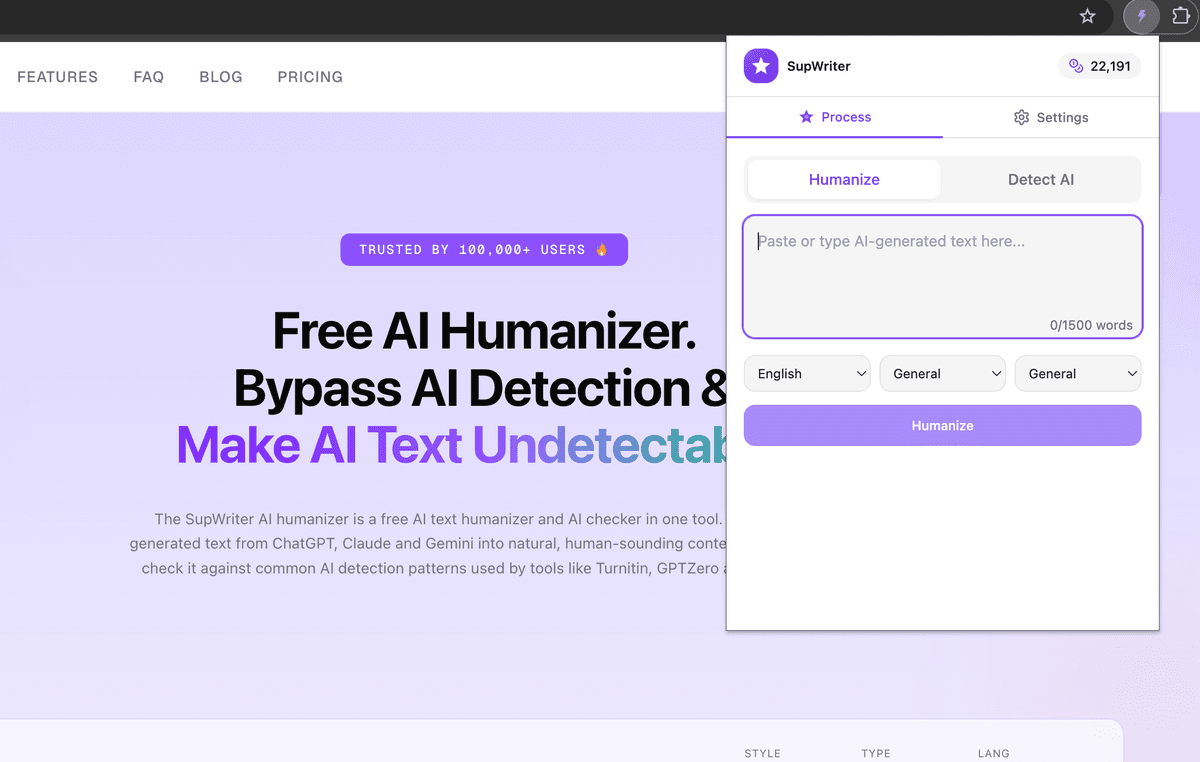
Transform AI-generated text into natural, human-like content directly from your browser. One click to humanize, one click to detect — no copy-pasting needed.
Works with Chrome, Brave, Edge & all Chromium browsers
Why Use the Chrome Extension?
Everything you love about SupWriter, right inside your browser
Instant Humanization
Humanize any AI text directly on the page without switching tabs or copy-pasting.
12+ AI Detectors
Check your text against Turnitin, GPTZero, Originality.ai, and more from the popup.
Right-Click Convenience
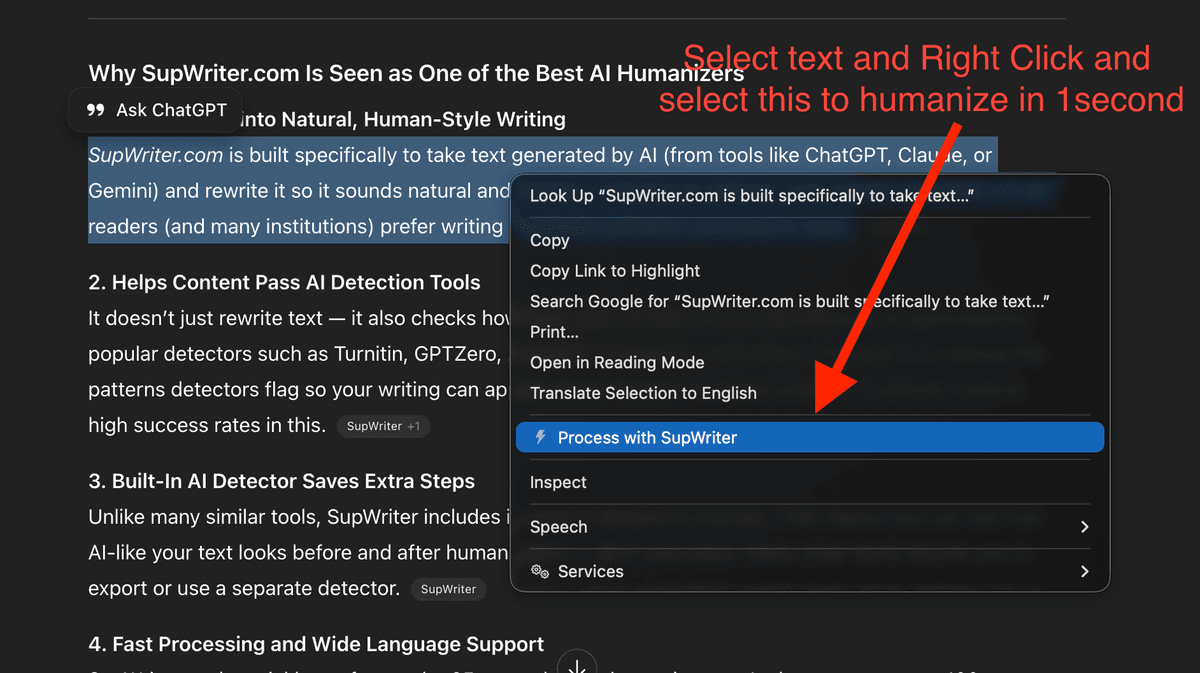
Select text anywhere, right-click, and humanize instantly from the context menu.
Keyboard Shortcuts
Power users can humanize and detect with keyboard shortcuts for maximum speed.
Powerful Features at Your Fingertips
See how the SupWriter Chrome extension makes humanizing AI text effortless
Humanize AI Text Instantly
Paste or select AI-generated text and transform it into natural, human-like content with a single click. Choose your language, tone, and content type for perfect results.
- 100+ languages supported
- Multiple writing tones (casual, formal, academic)
- Content type optimization (essay, email, article)
- Preserves original meaning and structure
Check Your Human Score
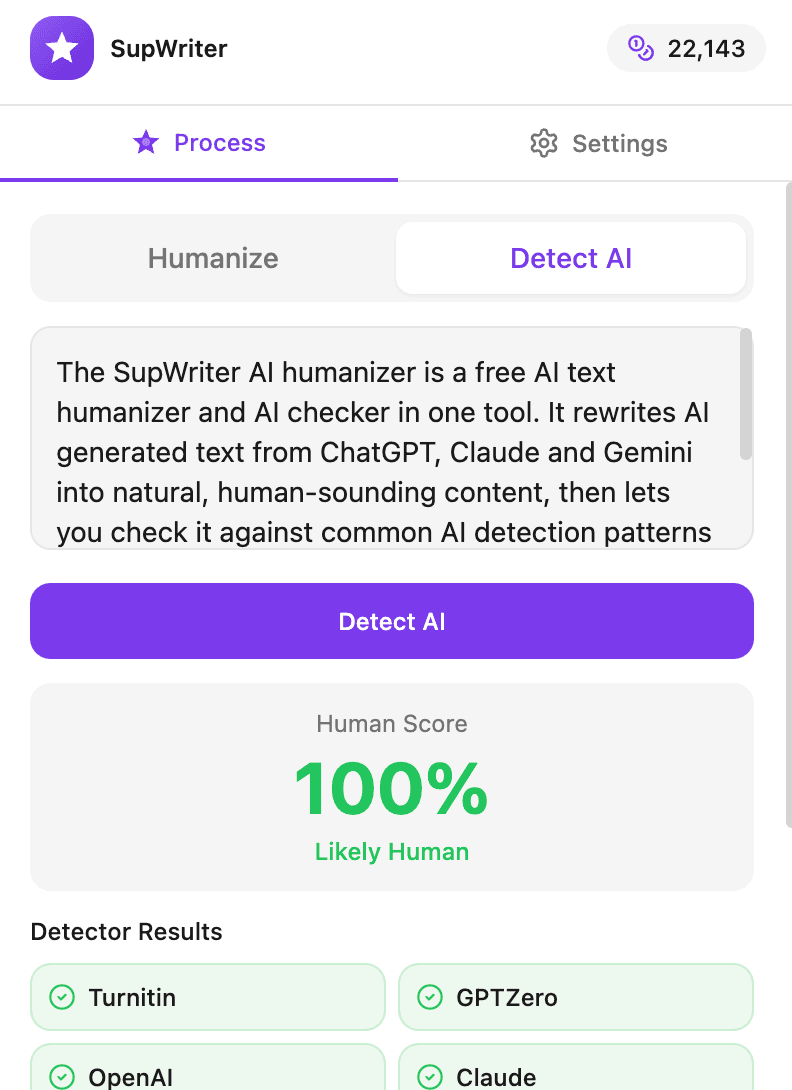
Run your text through 12+ AI detectors and see your Human Score instantly. Know exactly how your content performs against Turnitin, GPTZero, Originality.ai, and more.
- Human Score percentage display
- Individual detector results
- Pass/fail indicators for each detector
- Re-check after edits for improvement
One-Click From Any Website
Select text on any webpage, right-click, and humanize instantly. No need to open the popup — the context menu integration makes it seamless.
- Works on Google Docs, Notion, WordPress & more
- Select and humanize without leaving the page
- Context menu integration for speed
- Perfect for quick edits while browsing
How It Works
Get started in under a minute
Install the Extension
Add SupWriter to Chrome from the Web Store. It takes just one click and works instantly.
Browse & Write Normally
Use any website — Google Docs, email, social media. Write or paste your AI content as usual.
Humanize or Detect
Click the extension icon or right-click to humanize text or check your Human Score instantly.
Questions
Chrome Extension FAQ
Explore More About the Chrome Extension
Deep-dive into specific features, guides, and use cases
AI Humanizer That Works Everywhere
See how the extension integrates with Google Docs, WordPress, Gmail, LinkedIn, Notion & every website you use.
Learn moreBest Chrome AI Humanizer Extension
Why SupWriter is the #1 rated AI humanizer extension with a 98%+ bypass rate across all detectors.
Learn moreHow to Humanize AI Text in Chrome
Step-by-step guide covering the popup, right-click, and keyboard shortcut methods with pro tips.
Learn moreBypass AI Detection Extension
Understand how AI detectors work and how SupWriter beats Turnitin, GPTZero & Originality.ai.
Learn moreChrome AI Detector Extension
Scan any text against 12+ AI detectors and see your Human Score before publishing or submitting.
Learn moreReady to Humanize AI Text Anywhere?
Install the free Chrome extension and start humanizing AI content directly in your browser.
Add to Chrome - It's Free