By ShriprasannaPublished September 14, 2026Updated September 26, 2026
Does Canvas Detect AI in 2026? The Copyleaks Deal, Turnitin, and What Canvas Itself Logs
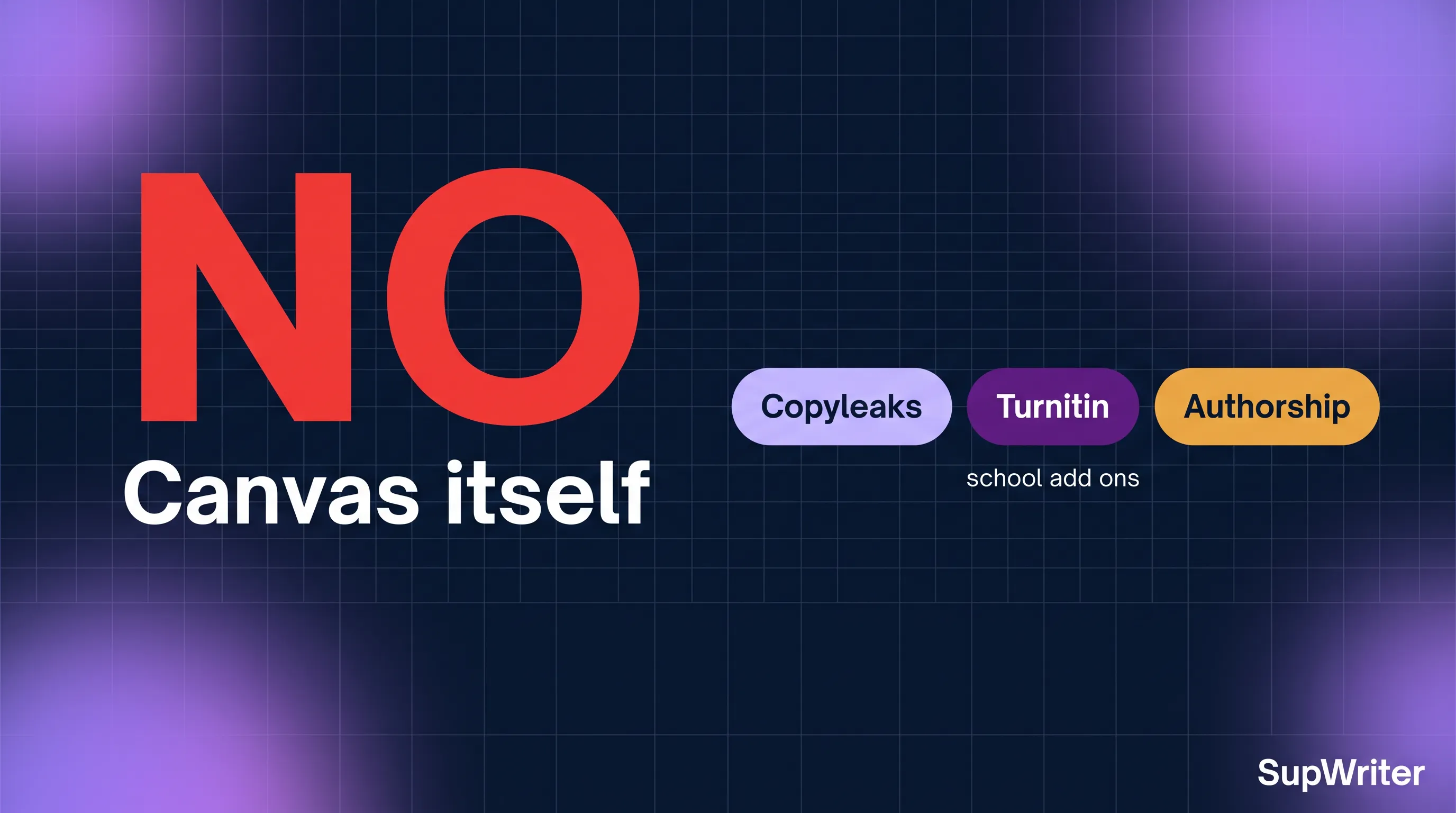
Canvas itself does not detect AI writing. There is no native Instructure classifier that returns an AI percentage. What changed in 2026 is the partner next to SpeedGrader. On 25 June 2026 Copyleaks announced that Instructure had named it an “industry recommended” AI and text-matching partner for Canvas; Copyleaks’ 30 July post also says “recommended.” Turnitin and Grammarly Authorship still integrate. Quiz logs and timestamps are not an AI detector. Whether your paper gets an AI score depends on what the school plugged in — not on Canvas growing a brain. Check the assignment, not the LMS logo.
Short answer: Canvas vs the tools attached to it
Canvas is an LMS. It stores courses, submissions, grades, quizzes, and files. Academic integrity products attach to it through integrations (historically LTI, now moving to LTI 1.3 Asset Processor). Those products do the classification.
That split is why two students in “Canvas schools” have opposite experiences. One course returns a Copyleaks AI Logic report. The next still opens a Turnitin similarity report with an AI writing indicator. A third has Grammarly Authorship on the doc and nothing in SpeedGrader that says “AI%.” All three are Canvas. None of them are “Canvas detecting AI.”
The same pattern shows up on other platforms. Google Classroom did not grow a native detector either; Turnitin’s May 2026 add-on is what added AI indication there, and only for schools on the right Workspace tier. Blackboard’s story is SafeAssign plus whatever else the campus bought — we compared that stack in SafeAssign vs Turnitin.
The June 2026 Copyleaks partnership — what “recommended” means
On 25 June 2026, Copyleaks announced that Instructure had named it an “Industry Recommended Partner” for AI and text matching on Canvas, and “a top-tier strategic sales partner” (Copyleaks press release). On 30 July, Copyleaks published Instructure is Choosing Copyleaks to Help Educators Keep Up. That post’s language is “recommended”: “Instructure recently selected Copyleaks as its recommended AI/text matching partner for Canvas LMS,” and later “part of Instructure’s Recommended Partner program.”
Both pages say “recommended”; neither calls Copyleaks an exclusive partner. That is marketing plus partner-program language, and the June release adds that Copyleaks is now available through Instructure’s direct sales channel. A recommended partner is a faster procurement path — Copyleaks says schools can skip “lengthy evaluations, RFPs, or complicated vendor onboarding” — not a law that rips Turnitin out of every Canvas instance overnight.
What the partnership actually buys a campus:
- A pre-vetted Copyleaks path inside Canvas for K-12 and higher ed
- AI insights plus text matching (plagiarism) in one vendor
- Copyleaks’ “AI Logic” pitch: insight into types of AI use, not only a binary cheat flag
What it does not buy:
- A new Copyleaks text model. A distribution deal is not a detector upgrade, and neither announcement describes a new model. If someone tells you “Canvas switched to Copyleaks 2026,” ask which model version is scoring the paper.
- Automatic installation on every course. Faculty still enable tools. Admins still provision them. Your Intro to Biology assignment may have Copyleaks; your lab report course may still be Turnitin.
- Proof that Copyleaks is more accurate than Turnitin. A partnership announcement is a vendor decision, not a published head-to-head you should treat as a law of nature. Detectors disagree with each other in both directions.
Melissa Loble, Instructure’s chief academic officer, is quoted in the Copyleaks post saying educators need tools that help them have better conversations with students about using genAI responsibly. That is the official tone: conversation, not automatic discipline. Whether your professor uses it that way is a person problem, not a Canvas problem.
Turnitin and Grammarly Authorship are still on Canvas
The Copyleaks deal did not delete the rest of the ecosystem.
Turnitin still integrates with Canvas. Plenty of universities have multi-year Turnitin contracts, Feedback Studio workflows, and instructors who will not retrain mid-semester. If your assignment shows a similarity report, an AI writing indicator, or a Turnitin paper ID, you are not in a Copyleaks-only world. For how that indicator works, see does Turnitin detect AI writing, the August 2026 update, and similarity score vs AI score. Those are different numbers. Similarity is overlap with sources. AI score is a classifier. Mixing them up is how students panic over a 12% match that has nothing to do with ChatGPT.
Grammarly Authorship still integrates too. Authorship is not an AI percentage on the LMS report. It is a writing-process record: Grammarly says it tracks what was “typed, pasted, AI-assisted,” works in Google Docs, Microsoft Word and the Grammarly Editor, and can be enabled on Canvas LMS submissions (Grammarly Authorship). Canvas can still be the place the file is submitted while Authorship lives on the document. Details sit in does Grammarly detect AI writing.
If your instructor enabled Turnitin Clarity as the composition space, paste events and timestamps are in play. Turnitin documents those student-facing behaviors in their Clarity FAQs. A 2,000-word paste at 11:58 p.m. is process evidence. It is not a Copyleaks score, and it is not “Canvas AI detection.”
LTI 2.0 is on the way out; Asset Processor is the plumbing
The other 2026 Canvas change that gets oversold is the LTI migration. Instructure has been moving integrations from LTI 2.0 toward LTI 1.3 Asset Processor. In plain language: the pipe that carries your submitted file to an integrity tool is being replaced with a newer standard. Asset Processor is how a tool can receive the assignment artifact, run a check, and send a report back into the Canvas workflow without the old LTI 2.0 kludge.
That is infrastructure. It is not a detector. A new pipe can carry Copyleaks, Turnitin, or something else. Students do not get an AI score because LTI 1.3 exists. They get an AI score because an Asset Processor (or leftover LTI tool) is configured on that assignment.
If an admin blog says “we upgraded Canvas LTI,” that is not a reason to assume Copyleaks is now scoring every paper. Ask which processor is attached to this assignment.
What Canvas itself logs that is not AI detection
Canvas keeps a lot of records. None of the following is an AI writing classifier:
- Submission timestamps. When the file landed. Useful for late work; silent on authorship.
- Quiz logs. Question-by-question timing, IP-ish metadata depending on settings, maybe quiz-log flags for suspicious patterns. A student who finishes a 40-question quiz in four minutes has a quiz problem. That log does not analyze the prose of a take-home essay. Do not let anyone treat quiz speed as AI-writing detection.
- SpeedGrader comments and rubrics. Human judgment. Can include “this reads like ChatGPT.” That is a person, not a model.
- File names, attempt history, resubmits. Process, not classification.
- Canvas New Quizzes / item banks. Still assessment logistics.
Teachers also look outside Canvas: Google Docs version history, a giant paste into Word, Draftback-style replay on a Classroom doc, a viva that does not match the paper. Those are covered in can teachers see if you use ChatGPT. Canvas may be where the file is dropped. It is rarely the only camera in the room.
The honest scare version of “Canvas knows you used ChatGPT” is usually one of three things: (1) a Copyleaks or Turnitin report on that assignment, (2) paste/process evidence in Clarity, Docs, or Authorship, or (3) the instructor reading the voice. Item (3) is real and unscientific. Single words like “delve” and punctuation habits like em dashes are weak evidence on their own, because they vary by model and by writer. What experienced readers tend to notice is a register: abstract, noun-heavy phrasing, tidy not-X-but-Y pivots, lists of three. None of that is a Canvas feature.
How to tell which detector your course uses
You cannot infer it from “we use Canvas.” Look at the assignment.
- The tool name in the assignment settings or the submission confirmation (Turnitin, Copyleaks, Unicheck-legacy, none).
- The report you can open after submit. A similarity percentage plus AI indicator is Turnitin-shaped. Copyleaks AI Logic is a different UI. If you cannot see the report, that is a settings question — can students see the Turnitin AI score is the Turnitin-specific version of this.
- Your syllabus academic-integrity paragraph. Some name the vendor.
- The instructor, in office hours, once, politely. “Is this going through Turnitin or Copyleaks?” is a reasonable question in 2026.
If there is no integrity tool on the assignment, Canvas will still store the file. The risk shifts to human reading, a later random check, or a department that runs a batch detector after the fact. Absence of a report is not a promise.
Schools also differ on what percentage is “actionable.” There is no universal cutoff. If you are staring at a Turnitin number, read what percentage of AI is acceptable on Turnitin rather than inventing a campus policy from Reddit.
If your paper is going through Copyleaks or Turnitin
Treat the detector as a classifier with error bars, not as a lie detector.
Partnership distribution can put Copyleaks in front of more Canvas courses; it does not change how Copyleaks’ model scores GPT-5.6, Claude, Gemini, or DeepSeek. Turnitin’s models have their own 2026 cadence — see the bypasser-detection note if you have been told a “humanizer” is a magic undo button. It is not.
We build SupWriter, which is a humanizer plus a detector pre-check (one scoring model, not live checks against Turnitin or Copyleaks), not a Canvas exploit. Disclosure: we compete with the “just paste this and Canvas will never know” crowd. Canvas will not know because Canvas is not looking. Copyleaks or Turnitin might be.
If the course uses a detector, the useful sequence is: draft, put a human fingerprint on the argument (a number from your notes, a stance, a limitation you actually believe), run the submission text through an AI detector, and only then decide whether a rewrite pass is needed. SupWriter hasn’t published live-detector bypass tests (how we test), no tool can guarantee how Copyleaks or Turnitin will score a paper, and nothing we make hides anything from Canvas logs. Free is 300 lifetime words on the free humanizer, no card. Basic is $9.99 a month, Pro $19.99, Ultra $39.99 (list prices; annual billing costs less).
If the course bans AI assistance, do not humanize your way around the policy. If the course allows drafting help, keep process evidence so you can prove the writing is human in a conversation. ESL writers get hit by detectors for reasons that have nothing to do with cheating; that is a separate fairness problem we documented in AI detection and ESL students.
FAQ
Does Canvas have a built-in AI detector in 2026? No. Canvas does not natively classify writing as AI. Detection comes from integrations — Copyleaks after the June 2026 partnership, Turnitin, Grammarly Authorship, or nothing.
Did Instructure make Copyleaks the only option? No. Copyleaks’ June 2026 announcement calls it an “industry recommended” AI and text-matching partner for Canvas, and its 30 July blog says “recommended.” Turnitin and Grammarly Authorship still integrate. Your course may use any of them, or none.
Do Canvas quiz logs prove I used ChatGPT on an essay? No. Quiz logs are about quiz-taking behavior. They are not an AI writing report on a file submission.
Is Copyleaks on Canvas a new, stronger model? The partnership is distribution. Neither announcement describes a new detection model.
Can I hide from Canvas by using a different browser? Canvas records the submission. It does not need your browser to “catch ChatGPT.” The detector, if any, scores the text. Process tools (Clarity, Docs history, Authorship) score how the text arrived.
Will LTI 1.3 Asset Processor change my AI score? It changes how tools attach to assignments. It does not, by itself, score prose.
Canvas is not the detector — Copyleaks, Turnitin, or Authorship might be. If your assignment actually runs a classifier, check the same text with the AI detector before you submit, and use the free humanizer only to edit voice under a policy that allows AI-assisted drafting.
Related Articles

What SupWriter's AI Detector Actually Checks (vs Turnitin and Originality.ai)
How SupWriter's AI Detector Score Is Produced
How We Test AI Detectors: Method and Results So Far