By ShriprasannaPublished April 2, 2026Updated September 26, 2026
Grammarly Paraphraser vs AI Humanizers: The Real Difference
There's a confusion problem in the writing tools space right now, and it's costing people time and money.
People use "paraphraser" and "humanizer" interchangeably. They Google "best paraphrasing tool," grab Grammarly or QuillBot, run their AI text through it, submit their essay, and get flagged by Turnitin. Then they're confused. "I paraphrased it! I changed the words! Why is it still being detected?"
Because paraphrasing and humanizing are different things. Not slightly different. Fundamentally different. Different techniques, different goals, different outcomes. And until you understand that distinction, you're going to keep getting burned.
Let's break this down properly.
What Grammarly's Paraphraser Actually Does
Grammarly has multiple features that could be called "paraphrasing":
Generative rewrites (you may know them as GrammarlyGO): You can highlight text and ask Grammarly's AI to rewrite it. It'll generate an alternative version: different words, sometimes different sentence structure. Free includes 100 AI prompts a month and Pro includes 2,000 (Grammarly plans). It's an AI tool rewriting AI text, which is... an interesting loop.
Full-sentence rewrites: Pro users get sentence-level rewrites focused on making text clearer and more concise. These aren't full paraphrasing, but they change enough words that people use them as de facto paraphrasing.
Tone adjustments: "Make this more formal" or "make this more casual" will rewrite sentences with different vocabulary. Again, not paraphrasing in the traditional sense, but functionally similar.
The AI Humanizer: Grammarly now also offers an AI Humanizer, a basic version free on its site and a fuller one on Pro. Grammarly says plainly that "this tool is not intended to bypass AI detectors" (Grammarly AI Humanizer).
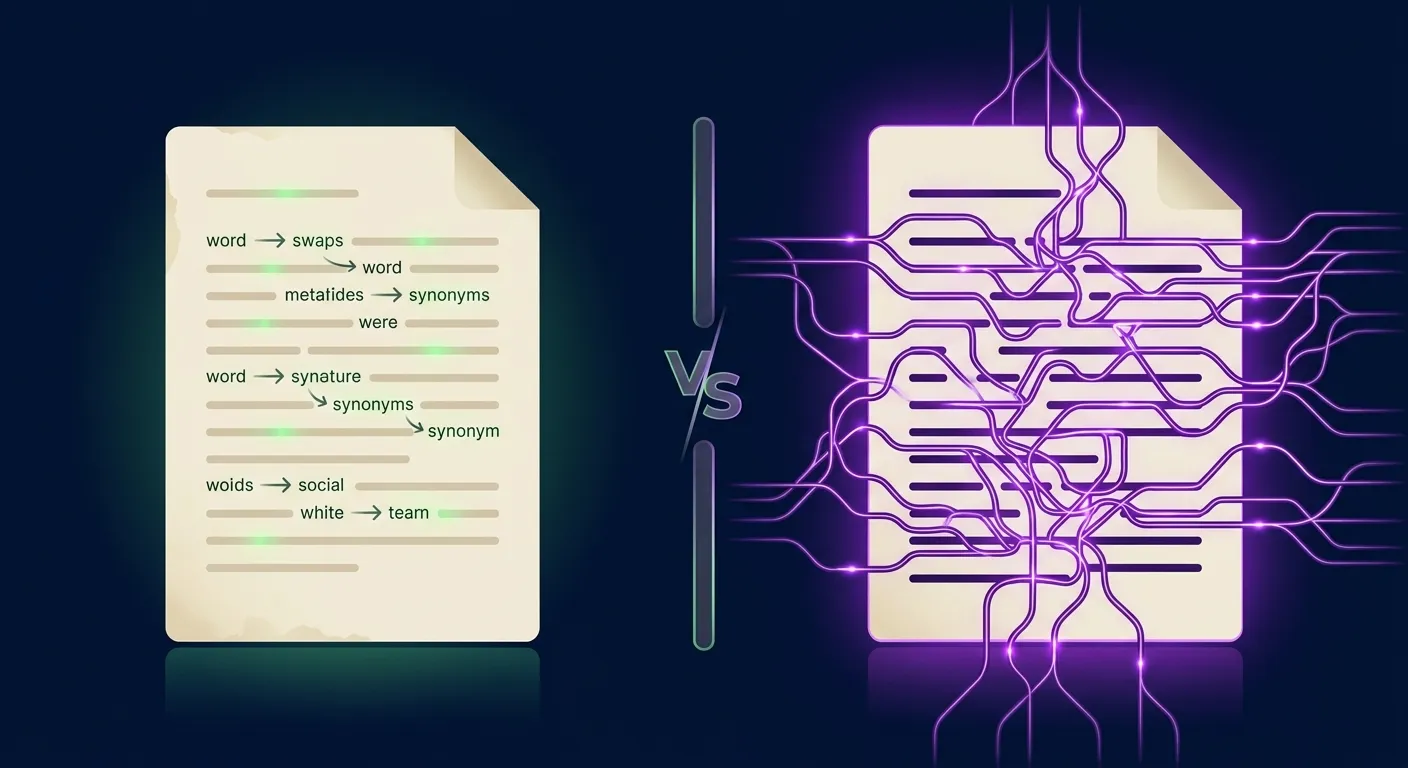
Here's what the rewrite features share: they operate at the surface level. They change words. They rearrange clauses. They swap active for passive voice or vice versa. What they don't do, and aren't designed to do, is alter the underlying statistical patterns that AI detectors are trained to identify.
Think of it like this: if AI-generated text is a person wearing a very distinctive outfit, Grammarly's paraphrasing changes the outfit. Different shirt, different pants, different shoes. But the person underneath (their gait, their posture, their proportions) stays exactly the same. And AI detectors are analyzing the person, not the outfit.
What AI Detectors Actually Look For
This is crucial context. If you don't understand what detectors analyze, you won't understand why paraphrasing fails.
AI detectors primarily measure two things:
Perplexity: How surprising your word choices are. AI text has low perplexity because language models choose the statistically most probable next word at each step. Human writing has higher perplexity because we make weird choices. We use words that aren't the obvious option. We throw in slang where formal language was expected. We start sentences with "Look" or "Honestly" or "Here's the thing." These choices raise the perplexity score, and detectors use that score to distinguish human from AI.
Burstiness: How much variation exists in your sentence structure. AI text is eerily uniform: medium-length sentences, similar complexity levels, consistent rhythm throughout. Human writing bursts. A 40-word sentence followed by a 5-word one. A fragment. Then a compound-complex construction that sprawls across three lines. This variation is natural and instinctive for human writers, but AI models produce remarkably flat sentence distributions.
When Grammarly changes "utilize" to "use" or restructures "The implementation was conducted by the team" to "The team conducted the implementation," neither perplexity nor burstiness meaningfully changes. The new words are just as statistically predictable as the old ones. The sentence length stays roughly the same. A detector sees much the same mathematical profile and is likely to reach the same conclusion.
For a deeper dive into these detection mechanisms, check our piece on how AI detection actually works.
What a True AI Humanizer Does Differently
An AI humanizer (a real one, not a paraphraser with a new label) works at the level of rhythm and structure. Instead of swapping words, it rewrites text to change the patterns that detectors analyze. This means:
- Deliberately varying perplexity across the text, introducing unexpected word choices in some places while keeping predictable ones in others (because human writing has both)
- Creating burstiness by mixing dramatically different sentence lengths and complexities
- Breaking patterns in ways that feel natural: parenthetical asides, rhetorical questions, shifts in pace
- Maintaining meaning through all of this, so the output says the same thing with a more human-sounding delivery
The goal is output with a different statistical profile, closer to the variation in genuine human writing. Whether a particular detector agrees is something to check, not assume.
What the Detectors Themselves Say
We haven't run a controlled test of Grammarly, QuillBot and SupWriter against live detectors, and we don't publish bypass percentages (how we test). What we can give you is what the detector makers and tool makers document, which is more useful anyway.
What Turnitin Says About Paraphrasing Tools
Turnitin's AI detection FAQ says two things that matter here (Turnitin's AI detection FAQ):
- Its detector can identify AI-generated text that "may have been modified by AI paraphraser or bypasser (also called humanizers) tools," currently for English submissions only.
- Grammarly's grammar-checking features aren't flagged as AI, but content produced with its generative features, such as draft generation, paraphrasing and summarizing, "will likely be flagged as AI-generated."
In other words, running AI text through a paraphraser is a route Turnitin is explicitly looking for.
What Grammarly Says About Its Own Tools
Grammarly positions its AI Humanizer as a way to make AI-assisted writing sound natural, not to get past detectors. Its Authorship feature, on by default in Grammarly's docs since March 2026, records what you wrote and where AI helped. Grammarly is building for transparency, and it says so.
What QuillBot Offers
QuillBot is a paraphraser first. Its free plan paraphrases and humanizes up to 125 words at a time; Premium adds unlimited modes and full access to its humanizer (QuillBot Premium). We cover whether that's enough in our QuillBot humanizer review and our analysis of whether Turnitin detects QuillBot.
What SupWriter Offers
SupWriter is built to rewrite AI-assisted drafts so they read naturally, changing sentence rhythm and structure rather than swapping words. Before you submit, check the result with its built-in AI detector. It's a pre-check based on one scoring model, not the detector your school uses; results vary by detector, text length and topic, and no tool can guarantee a result.
The honest summary: paraphrasing is a route detector makers explicitly target, and nobody, us included, can promise how a specific detector will score a specific document.
Why Surface-Level Changes Fail: A Concrete Example
Let's make this tangible. Here's a sentence generated by GPT-4:
"The implementation of renewable energy solutions in developing nations has demonstrated significant potential for addressing both environmental concerns and economic development challenges."
A clarity rewrite of the kind Grammarly suggests: "Renewable energy solutions in developing nations show significant potential for tackling environmental and economic development challenges."
Cleaner, shorter, better sentence. But expect a detector to see much the same thing. The word choices are still predictable. The structure is still uniform. It's the same statistical profile in a slightly smaller package.
A synonym-heavy paraphrase (the kind a paraphraser's creative mode produces): "The adoption of green energy alternatives in emerging countries has exhibited considerable promise for tackling both ecological issues and financial growth obstacles."
Different words, similar length, essentially the same fingerprint. "Adoption" instead of "implementation," "considerable" instead of "significant," "ecological" instead of "environmental": these are horizontal moves that don't change the vertical dimension detectors care about.
A rewrite aimed at human rhythm (illustrative): "Renewable energy is finally getting traction in developing countries, and honestly? The results are more promising than a lot of people expected. It's not just an environmental play — there's real economic upside that's hard to ignore."
Notice what changed: the sentence length varies dramatically. There's a rhetorical question and an interjection ("honestly?"). The word choices aren't maximally predictable. It still says the same thing, but it reads more like a person wrote it. For academic work you'd keep a more formal register, but the principle (varied rhythm, a real point of view) is the same.
When Grammarly's Paraphrasing Is Actually the Right Choice
We want to be fair here. Grammarly's paraphrasing features are useful, just not for getting past AI detectors. They're the right tool when:
- You want to improve clarity: Grammarly's rewrites are genuinely good at making convoluted sentences readable. If you wrote something awkward and want it cleaned up, they work well.
- You need tone adjustments: Shifting from casual to formal (or vice versa) for different audiences. Grammarly handles this smoothly.
- You're fighting writer's block: Sometimes having an AI suggest a rewrite of your stuck sentence breaks the logjam. Useful as a brainstorming tool.
- Grammar is your actual problem: If your text is human-written and you just need it polished, Grammarly is excellent at it. We acknowledged this in our full Grammarly review.
The Right Workflow for Each Situation
Here's our practical advice, depending on what you're trying to accomplish:
"I wrote it myself, I just need grammar help." Use Grammarly. Free tier is fine for most people. You don't need humanization because your text is already human. If you want to double-check, run it through an AI detector. Human-written text usually scores low, but false positives happen, especially for non-native writers, so keep your drafts.
"I used AI to help draft (and my course allows it), and I want it to read naturally." Use SupWriter, then check the result with the built-in detector as a pre-check. Skip the paraphrasing step entirely: going from AI text → paraphraser → humanizer adds a step that can degrade quality. Go directly from AI text → humanizer, and disclose the AI help if your course requires it.
"I want to rephrase someone else's text in my own words." Use QuillBot or Grammarly. This is legitimate paraphrasing, and it's what these tools were designed for. Two cautions: paraphrasing doesn't remove the need to cite the original source, and if the source text was AI-generated, the paraphrased version may still be flagged as AI.
"I need to humanize AI text AND fix grammar." Humanize first with SupWriter, then run a grammar pass with Grammarly Free. Humanized output can include small quirks, and you can clean up anything that bothers you afterward.
The Bigger Picture
The writing tools market has splintered in 2026 into three distinct categories:
- Grammar tools (Grammarly, ProWritingAid, LanguageTool): fix errors in existing text
- Paraphrasers (QuillBot, Wordtune, Spinbot): reword existing text with different vocabulary
- Humanizers (SupWriter, Undetectable AI, WriteHuman): rewrite AI text so it reads naturally
These categories overlap, and the lines are blurring: Grammarly and QuillBot now both offer humanizers alongside their core tools. But they still serve different purposes. The mistake most people make is assuming a tool from category 1 or 2 can do what category 3 does.
Grammarly is the best-known tool in category 1, and QuillBot in category 2. But if you need category 3, you need a tool built for that specific job.
We explored this taxonomy in our AI humanizer vs paraphraser guide and our roundup of the best AI humanizer tools if you want to go deeper. And if you're specifically looking for free alternatives to QuillBot or Grammarly alternatives, we've covered those too.
The Bottom Line
Grammarly's paraphrasing is fine for what it's designed to do: improve grammar, adjust tone, and clean up messy sentences. But it's not designed to get past AI detectors, and Turnitin says it expects to flag text produced with Grammarly's generative features.
If you want AI-assisted text to read naturally, you need a humanizer, not a paraphraser, and you should still check the result yourself. The tools look similar on the surface (you paste text in, you get text out), but what happens in between is different. One swaps words. The other aims to rewrite the rhythm and structure of your text.
Use Grammarly for grammar. Use a humanizer for humanization. Stop asking your hammer to be a screwdriver.
Related Articles

Is Using an AI Humanizer Cheating? When to Disclose AI Assistance
What Is an AI Humanizer (and What It Is Not)
AI Words to Avoid in 2026: "Delve" Is Dead — Here's What Detectors Flag Now