
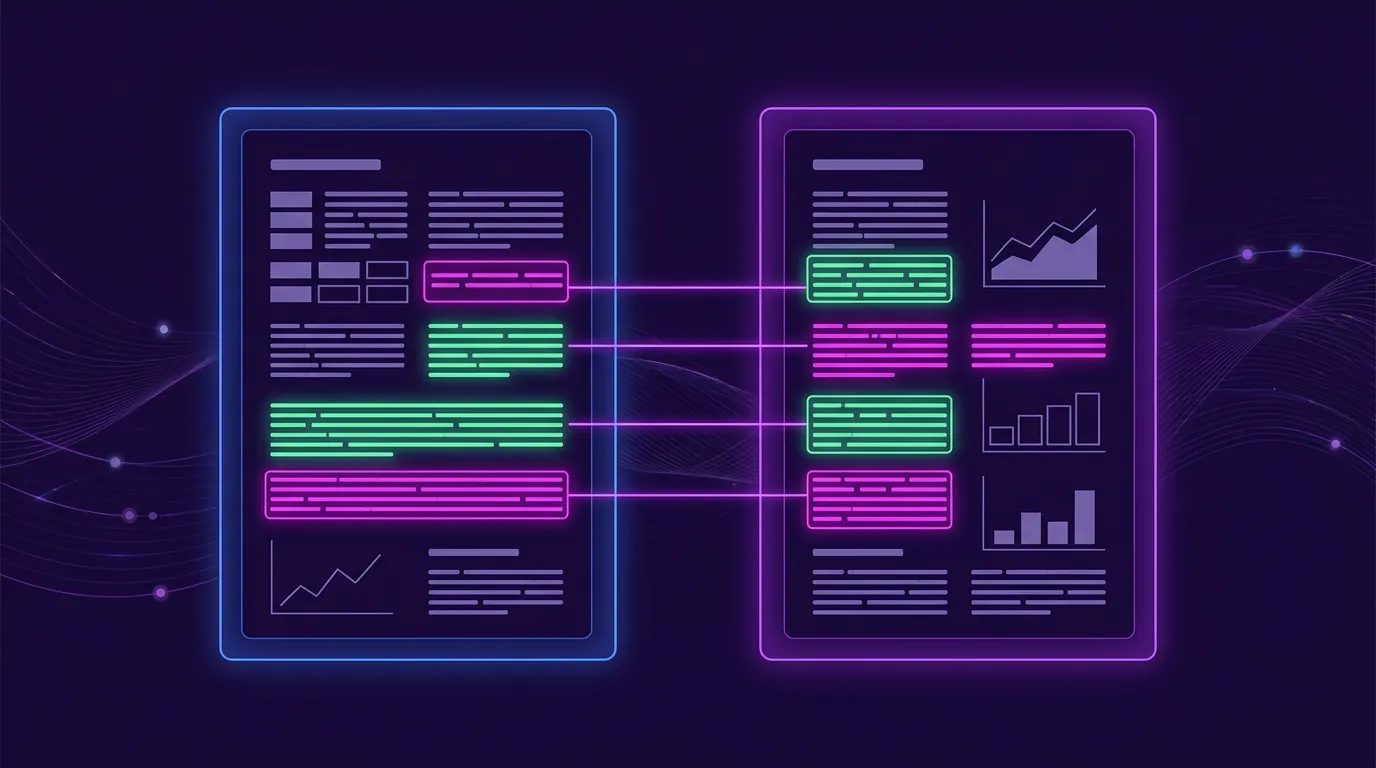
By ShriprasannaPublished February 5, 2026
Compare Two Texts Online: Best Tools for Diff Checking in 2026
Whether you are tracking changes between document versions, verifying that an editor did not alter your meaning, or checking how an AI draft differs from your final copy, comparing two texts is a task that comes up constantly in writing, development, and content management. This guide covers the best tools for comparing text online, the different types of comparison available, and practical use cases that go beyond simple proofreading.
Why You Need Text Comparison Tools
Text comparison tools, often called diff checkers, highlight the differences between two pieces of text. They show you exactly what was added, removed, or changed. The use cases are broader than most people realize:
- Document versioning: Comparing drafts to track how a document has evolved
- Editorial review: Seeing exactly what an editor changed in your manuscript
- Plagiarism investigation: Placing two suspicious texts side by side to identify copied passages
- Code review: Comparing code files to identify changes between commits
- Translation quality assurance: Checking translated text against the original for completeness
- AI content management: Comparing an AI-generated draft against the humanized or edited version to understand what changed
- Legal document review: Identifying modifications between contract versions
Each of these scenarios requires a slightly different type of comparison, which is why the tool you choose matters.
Types of Text Comparison
Not all comparison tools work the same way. Understanding the different approaches helps you pick the right tool for your specific task.
Character-Level Diff
This is the most granular type of comparison. The tool examines every individual character and highlights changes at that level. If you changed "color" to "colour," a character-level diff would highlight the added "u."
Best for: Code review, proofreading, catching typos and minor edits.
Limitation: On long documents with extensive changes, character-level diffs can be visually overwhelming because every small modification gets flagged.
Word-Level Diff
Word-level comparison treats each word as a unit. It highlights entire words that were added, removed, or changed. This is more readable than character-level comparison for prose documents because it groups changes into meaningful units.
Best for: Editing review, document versioning, comparing written content.
Limitation: It may miss subtle changes within words, like correcting a misspelling from "recieve" to "receive," unless the tool also includes character-level highlighting within changed words.
Line-Level Diff
Common in software development, line-level comparison treats each line of text as a unit. If anything on a line changes, the entire line is flagged. This is the default mode in tools like Git diff.
Best for: Code comparison, configuration file review, structured documents.
Limitation: For prose with long paragraphs, a single changed word flags the entire paragraph, making it hard to pinpoint the actual modification.
Semantic Similarity
This is the most sophisticated form of text comparison. Instead of looking at exact words, semantic comparison analyzes the meaning of two texts. It can tell you that two sentences convey the same idea even if they use completely different wording.
Best for: Paraphrasing quality checks, plagiarism analysis, AI content comparison.
Limitation: Computationally expensive and less precise. Semantic similarity gives you a score (often using cosine similarity between text embeddings) rather than a line-by-line diff.
Cosine Similarity
A mathematical approach often used in natural language processing, cosine similarity converts text into numerical vectors and measures the angle between them. A score of 1.0 means identical meaning; 0.0 means completely unrelated.
| Cosine Similarity Score | Interpretation |
|---|---|
| 0.95 - 1.00 | Nearly identical or directly copied |
| 0.80 - 0.94 | Very similar, likely paraphrased |
| 0.60 - 0.79 | Related topic, different expression |
| 0.40 - 0.59 | Loosely related |
| Below 0.40 | Different topics |
Treat those bands as a rough guide: the right thresholds depend on the embedding model you use, so calibrate them on a few text pairs you already understand.
This type of comparison is particularly useful when you want to know how much an AI-rewritten version diverges from the original. If you run a text through SupWriter's paraphraser and then compare the output to the input, cosine similarity can tell you whether the paraphrase maintained the original meaning while changing the expression.
The Best Text Comparison Tools in 2026
Here is a detailed look at the most reliable tools for comparing two texts online, each with different strengths.
DiffChecker
DiffChecker is the most popular online diff tool for a reason. It is fast, clean, and handles multiple file types.
Key Features:
- Side-by-side and inline diff views
- Supports plain text, PDF, images, Excel files, and folders
- Offline desktop app available
- Saved comparisons you can share by link
- Syntax highlighting for code comparisons
Pricing: Free for basic text comparison. Pro + Desktop costs $15 per user per month on monthly billing (29% less on yearly billing) and adds full PDF, Word, image and Excel comparison, folder comparison, saved comparisons and the desktop app (Diffchecker pricing page, checked Sept 2026).
Best For: General-purpose text and code comparison. If you only need one diff tool, this is the most versatile option.
Text Compare (textcompare.org)
A lightweight, no-frills tool that does one thing well.
Key Features:
- Paste two texts and instantly see word-level differences
- Color-coded highlighting (green for additions, red for deletions)
- No account required
- Works entirely in the browser
Pricing: Completely free.
Best For: Quick, casual comparisons when you do not need advanced features. Ideal for writers who want to see what changed between two drafts without any setup.
Copyscape
Copyscape is primarily a plagiarism detection tool, but its comparison feature is valuable for checking text similarity between two specific documents.
Key Features:
- Compares two URLs or two text blocks for overlap
- Percentage-based similarity score
- Highlights matching passages
- Batch processing for large sites
Pricing: The comparison tool for two pieces of content is free, and the free search checks URLs only. Premium searches for pasted text cost 3¢ for the first 200 words plus 1¢ for each additional 100 words (Copyscape FAQ, checked Sept 2026).
Best For: Publishers and content managers checking whether content has been copied across sites. Also useful for verifying that outsourced content is original.
Mergely
Mergely is a developer-focused diff and merge tool that also works well for text comparison.
Key Features:
- Real-time diff as you type
- Three-way merge support
- Syntax highlighting for many programming languages
- API access for integration into workflows
- Self-hosted option available
Pricing: Free for basic use. Licensed version for commercial and self-hosted deployments.
Best For: Development teams and technical writers who need diff functionality embedded in their workflow. The three-way merge is particularly useful for collaborative editing.
Google Docs Version History
Often overlooked, Google Docs has built-in version comparison that works well for collaborative writing.
Key Features:
- Automatic version saving with timestamps
- Shows changes attributed to specific collaborators
- "Compare documents" feature for comparing two separate Google Docs files
- Restore any previous version with one click
Pricing: Free with a Google account.
Best For: Teams already working in Google Docs. The collaborative attribution makes it easy to see who changed what and when. To access the comparison feature, go to Tools and then Compare Documents.
Quick Comparison Table
| Tool | Best For | Price | Diff Type | Offline Support |
|---|---|---|---|---|
| DiffChecker | General purpose | Free / $15 per user per month (Pro) | Character, word, line | Desktop app |
| Text Compare | Quick checks | Free | Word-level | No |
| Copyscape | Plagiarism checking | Free compare tool; Premium from 3¢ per search | Passage matching | No |
| Mergely | Development teams | Free / Licensed | Line-level with merge | Self-hosted option |
| Google Docs | Collaborative writing | Free | Version tracking | No |
Practical Use Cases and Workflows
Comparing AI Drafts to Final Copy
This is one of the fastest-growing use cases for text comparison tools. The workflow looks like this:
- Generate an initial draft using an AI writing tool
- Edit the draft extensively, adding personal voice, correcting factual claims, and restructuring arguments
- Run both versions through a diff checker to see the scope of your edits
This comparison serves two purposes. First, it helps you verify that you have made enough changes to the AI output that the final version is genuinely yours. If the diff shows only a few minor word swaps, you probably need to edit more substantially. Second, it creates a record of your editorial process, which can be important for academic integrity or content auditing.
After editing an AI draft, you can also use SupWriter's AI detector to check whether the final version still reads as AI-generated. If the detector flags it, the diff comparison helps you identify which sections still carry machine-generated patterns so you can revise them specifically.
Tracking Editor Changes
When you hand off a piece of writing to an editor, you want to understand what they changed and why. Paste your original draft and the edited version into a diff tool to see every modification. This is especially useful for:
- Learning from editorial feedback by studying the patterns in what gets changed
- Catching cases where an edit inadvertently altered your intended meaning
- Verifying that factual claims were not modified during editing
Contract and Legal Document Review
When you receive a revised version of a contract, never assume you know what changed. Paste both versions into a diff checker to identify every modification, including subtle changes to numbers, dates, or terms that could have significant implications. DiffChecker's Word and PDF comparison is well suited to exactly this kind of redline check.
Verifying Content Originality
If you manage a team of writers, text comparison helps you spot potential issues. Compare submitted articles against published sources, against each other (to catch self-plagiarism across your own site), or against content briefs to ensure the writer covered the required topics.
Building a Text Comparison Into Your Workflow
For writers and content teams, text comparison works best when it is a routine step rather than an emergency measure. Here is a practical workflow for content teams managing AI-assisted writing:
- Create the brief outlining the topic, target keyword, and key points to cover
- Generate or write the first draft using whatever process works for your team
- Edit substantially for voice, accuracy, and depth
- Run a diff comparison between the original draft and edited version to verify the scope of changes
- Check with an AI detector if the original draft was AI-generated, using a tool like SupWriter's AI detector
- Run through a grammar check to catch errors introduced during editing, using a grammar checker
- Publish and archive both versions for your content audit trail
This workflow takes a few extra minutes per piece but dramatically reduces the risk of publishing content that is too close to AI output, existing published material, or a previous version of your own content.
Advanced: Using Text Comparison for SEO
Text comparison has some underappreciated applications in SEO:
Competitor content analysis. Compare your page content against the top-ranking competitor for your target keyword. A diff highlights what they cover that you do not, revealing content gaps you can fill.
Content decay tracking. Compare the current version of your page against the version that was ranking well six months ago. If someone on your team made changes that coincided with a traffic drop, the diff can help you identify what went wrong.
Canonical content auditing. If you publish content across multiple platforms (your blog, Medium, LinkedIn), compare versions to ensure they are either identical (for canonical tagging) or different enough to avoid duplicate content issues.
Choosing the Right Tool for Your Needs
If you compare text occasionally for personal or freelance work, Text Compare or DiffChecker's free tier will handle everything you need. If you manage a content team, DiffChecker Pro or Mergely's licensed version offers the features and reliability a professional workflow demands. If your primary concern is plagiarism rather than granular editing changes, Copyscape is the specialist tool.
For AI content workflows specifically, combine a diff checker with SupWriter's AI humanizer and AI detector. The humanizer rewrites AI drafts into natural-sounding content, the diff checker shows you exactly what changed, and the detector gives you a pre-check score on the final version. That score comes from one scoring model, so treat it as a guide rather than a guarantee of how any other detector will read the text.
Frequently Asked Questions
What is the difference between a diff checker and a plagiarism checker?
A diff checker compares two specific texts you provide and shows the exact differences between them. A plagiarism checker compares your text against a large database of published content to find matches you may not have been aware of. Use a diff checker when you know which two texts you want to compare. Use a plagiarism checker when you want to scan your text against everything that has been published online.
Can I compare two texts for semantic similarity, not just exact wording?
Most free online diff tools only compare exact text. For semantic similarity, you need tools that use natural language processing, such as Python libraries like spaCy or sentence-transformers, or commercial APIs from providers like OpenAI or Cohere. These tools convert text into numerical representations and measure how close they are in meaning, regardless of the specific words used.
How do I compare two versions of the same document in Microsoft Word?
Word has a built-in comparison feature. Go to the Review tab, click Compare, and select the two document versions. Word will generate a new document showing all changes with tracked changes markup. This is equivalent to using an external diff tool but works natively within the Word environment.
Is there a way to automate text comparison for large volumes of content?
Yes. DiffChecker offers an API, and developer-oriented tools like Mergely can be integrated into automated workflows. For teams managing hundreds of pages, you can write scripts that compare current page content against previous versions stored in a CMS or version control system, flagging pages where significant changes occurred. Most content management systems also have built-in revision history that serves a similar purpose at a basic level.
Related Articles
Flesch-Kincaid Readability Score Guide
Writing Level Checker: Measure Your Grade

Is Using an AI Humanizer Cheating? When to Disclose AI Assistance