
By ShriprasannaPublished April 2, 2026Updated September 26, 2026
Grammarly Premium vs Free 2026: Is the Upgrade Worth It?
Grammarly's free tier is one of those things that's so good it makes you wonder why you'd ever pay. And honestly? For a lot of people, the free version is all they need. This comparison is based on Grammarly's own plan pages, checked in September 2026.
First, a naming note. Grammarly's paid plan is now called Pro. It replaced Premium, and it covers individuals and teams of up to 149 people (Grammarly Pro). Most people still search for "Premium," so we use both names here.
The short version: the paid plan adds meaningful features around tone, clarity, and AI assistance. But whether those features are worth $30/month (or $12/month billed annually) depends entirely on what you're using it for. And if your primary concern is AI detection, read the section on what Pro's AI detector and humanizer are, and aren't, built for.
Let's break it all down.
Feature-by-Feature Comparison
Here's what you get at each tier in 2026, per Grammarly's plans and Pro pages:
| Feature | Free | Pro/Premium ($30/mo, or $12/mo billed annually) |
|---|---|---|
| Spelling, grammar and punctuation corrections | Yes | Yes |
| See your writing tone | Yes | Yes |
| Adjust your writing tone | No | Yes |
| Full-sentence rewrites | No | Yes |
| Generative AI prompts | 100 a month | 2,000 a month |
| Plagiarism detection | No | Yes |
| AI detector | No | Yes |
| AI Humanizer | Basic version free on Grammarly's site | Full version |
| Style guides and brand tones | No | Yes |
| Snippets and usage analytics | No | Yes |
| Browser extension, desktop and mobile apps | Yes | Yes |
That's a lot of checkmarks for Pro, but let's talk about which ones actually matter.
What Premium Adds That's Actually Useful
Tone Adjustments
Both plans show you how your writing comes across; Free includes "See your writing tone." What Pro adds is the ability to change it: rewriting a passage to sound more confident, friendlier, or more formal.
That's handy when a client email reads more abruptly than you meant, or a message to your manager sounds more hesitant than you are. Tone adjustment is most valuable for professional communication: emails, Slack messages, client deliverables. If you write a lot of high-stakes professional content, this feature alone might justify Pro. If you're writing blog posts or academic papers, it's less critical.
Clarity and Conciseness Suggestions
Pro goes beyond grammar into writing quality, flagging wordy sentences, unclear phrasing, and hedging language. Things like:
- "Due to the fact that" → "Because"
- "It is important to note that" → just state the thing
- "In order to" → "To"
- Passive voice rewrites where active voice is stronger
Not every suggestion fits. In academic writing, hedging is often expected, and in legal writing precision matters more than brevity. You learn to accept or reject them quickly.
Full-Sentence Rewrites
When Grammarly Free tells you a sentence has issues, it usually just underlines the problem. Pro will offer a complete rewrite. This is different from the generative prompts: it's not writing new content, it's suggesting an alternative version of your existing sentence.
These rewrites range from excellent to mediocre. For straightforward clarity improvements, they're great. For nuanced or stylistically intentional sentences, they tend to flatten your voice into generic professional prose. Use them selectively.
Generative AI Prompts
Grammarly's generative AI features (you may know them as GrammarlyGO) let you compose text, rewrite sections, adjust tone, or generate ideas from prompts. Free includes 100 prompts a month; Pro includes 2,000.
Here's the thing, though: text Grammarly generates is AI text like any other. Turnitin says content produced with Grammarly's generative features, such as draft generation, paraphrasing and summarizing, will likely be flagged as AI-generated, while its grammar-checking features aren't (Turnitin's AI detection FAQ). The rewrites also don't address the statistical patterns that AI detection tools look for.
Plagiarism Detection
Pro includes a plagiarism checker ("Catch accidental plagiarism" on the plans page). It's useful for a self-check before submission, but it's not a replacement for the similarity report your university runs through Turnitin. It's also separate from the AI detector: one looks for copied text, the other for machine-written text.
What Premium Doesn't Do
This is the section that matters most if you're reading this in 2026, because the landscape has shifted.
Its Humanizer Isn't Built to Get Past Detectors
Grammarly now offers an AI Humanizer: a basic version free on its website and the full version with Pro (Grammarly AI Humanizer). But Grammarly is explicit about what it's for: "This tool is not intended to bypass AI detectors." It pitches the humanizer as a way to make AI-assisted text sound natural, and it encourages people to acknowledge AI assistance in academic or professional work.
So Grammarly can:
- Check your grammar and show your tone (Free)
- Adjust tone, rewrite full sentences, and check plagiarism (Pro)
- Flag possible AI-generated text with its AI detector (Pro)
- Generate text from prompts and smooth AI text with its humanizer (both, with more on Pro)
What it doesn't promise is that the result will read as human to a detector. Grammarly's own Authorship feature, on by default in Grammarly's docs since March 2026, keeps a record of what you wrote and where AI helped. If your goal is readable AI-assisted text, the difference between paraphrasing and humanizing is worth understanding before you pick a tool.
Its AI Detector Is a Guide, Not a Verdict
Pro includes an AI detector. Like every detector, it gives a probability, not proof; our Grammarly AI checker review looks at it in more detail.
Don't base decisions on Grammarly's score alone. If you need to check whether something reads as AI-generated, run it through more than one detector, such as a dedicated AI detector, and read the highlighted passages, not just the number. If you want to understand why AI detectors have accuracy issues in general, we've written about that too.
The Money Question: Is $30/Month Worth It?
Let's be real about the pricing. Grammarly has three tiers:
| Plan | Monthly | Annual (per month) | Annual (total) |
|---|---|---|---|
| Free | $0 | $0 | $0 |
| Pro (formerly Premium) | $30 per member | $12 per member | $144 per member |
| Enterprise | Contact sales | Contact sales | Contact sales |
There's also a quarterly option at $60 per member every three months, and Grammarly offers regional pricing in euros, British pounds and Indian rupees (Grammarly support).
The annual plan at $12/month is reasonable. The monthly plan at $30 is steep for a writing tool, so if you're going to keep it, pay annually.
Who Should Upgrade to Premium
Professional writers and content creators: If you write for a living (client work, marketing copy, journalism), the clarity suggestions, full-sentence rewrites and tone adjustments can cut editing time.
Business communicators: If you send a lot of external emails, proposals, or client-facing documents, tone adjustment alone may be worth it. One misread email can cost more than a year of Grammarly Pro.
Non-native English speakers: The full-sentence rewrites and clarity suggestions are especially valuable if English isn't your first language. Pro effectively serves as a real-time writing tutor.
Who Should Stick With Free
Students on a budget: Grammarly Free catches the errors that actually matter: spelling, grammar, punctuation. It even shows your tone. The clarity suggestions are nice, but you can develop that skill yourself with practice.
Casual writers: If you're writing personal emails, social media posts, or the occasional document, Free is more than enough.
Anyone primarily worried about AI detectors: Pro adds a detector and a humanizer, but Grammarly itself says the humanizer isn't meant to get text past detectors. Don't upgrade expecting it to solve that problem.
What About SupWriter Instead?
We get asked this a lot, so let's address it directly: Grammarly and SupWriter solve different problems, and comparing them head-to-head isn't quite fair. But for specific use cases, the comparison is relevant.
| Need | Better Choice | Why |
|---|---|---|
| Grammar checking | Grammarly | Purpose-built for it, far more mature |
| Tone feedback on your own writing | Grammarly | A core Grammarly strength |
| Rewriting AI-assisted drafts to read naturally | SupWriter | Its core job, with a built-in detector as a pre-check |
| Checking for AI text | Use more than one detector | Every detector, Grammarly's and SupWriter's included, gives a probability, not proof |
| Overall writing improvement | Grammarly | Deeper feature set for polishing prose |
If you need grammar help, Grammarly (even Free) is the better tool. If you want to rewrite AI-assisted essays so they read naturally, SupWriter is built for that, from $9.99/month at list price for 5,000 words. Check the result with its built-in detector before you submit. It's a pre-check based on one scoring model, not the detector your school uses, and no tool can guarantee a result. Check your school's AI policy first, too.
The smart move for a lot of people is to use both: Grammarly Free for grammar and SupWriter for humanization. That gives you free grammar checking plus AI humanization: 300 words free (one-time, no credit card required), then SupWriter Basic at $9.99/month for 5,000 words. Total: $0 to $9.99 a month at list price, which is less than Grammarly Pro alone.
Our Verdict
Grammarly Premium (now Pro) is worth it if: you write professionally, you want tone adjustments and full-sentence rewrites, and grammar is your primary concern. The annual plan at $12/month is fair for what you get.
Grammarly Pro is not worth it if: your main concern is getting past AI detectors. Grammarly says its humanizer isn't built for that, and its detector, like any detector, gives a probability rather than a verdict.
Grammarly Free is genuinely good: Don't feel bad about using the free tier. It handles the fundamentals well, and for many people, that's all they need.
The upgrade question really comes down to what problem you're solving. Grammarly Pro is a good product at a reasonable annual price. If you mainly need AI-assisted drafts to read naturally, a dedicated humanizer is the better fit, and it may cost less. Either way, check the output yourself and follow your school's or client's AI rules.
Related Articles
How to Cancel Undetectable AI (Email Template, Pause Option, and the "75% Human" Refund Rule)
PaperBleach AI Review 2026: Features, Pricing, Verdict
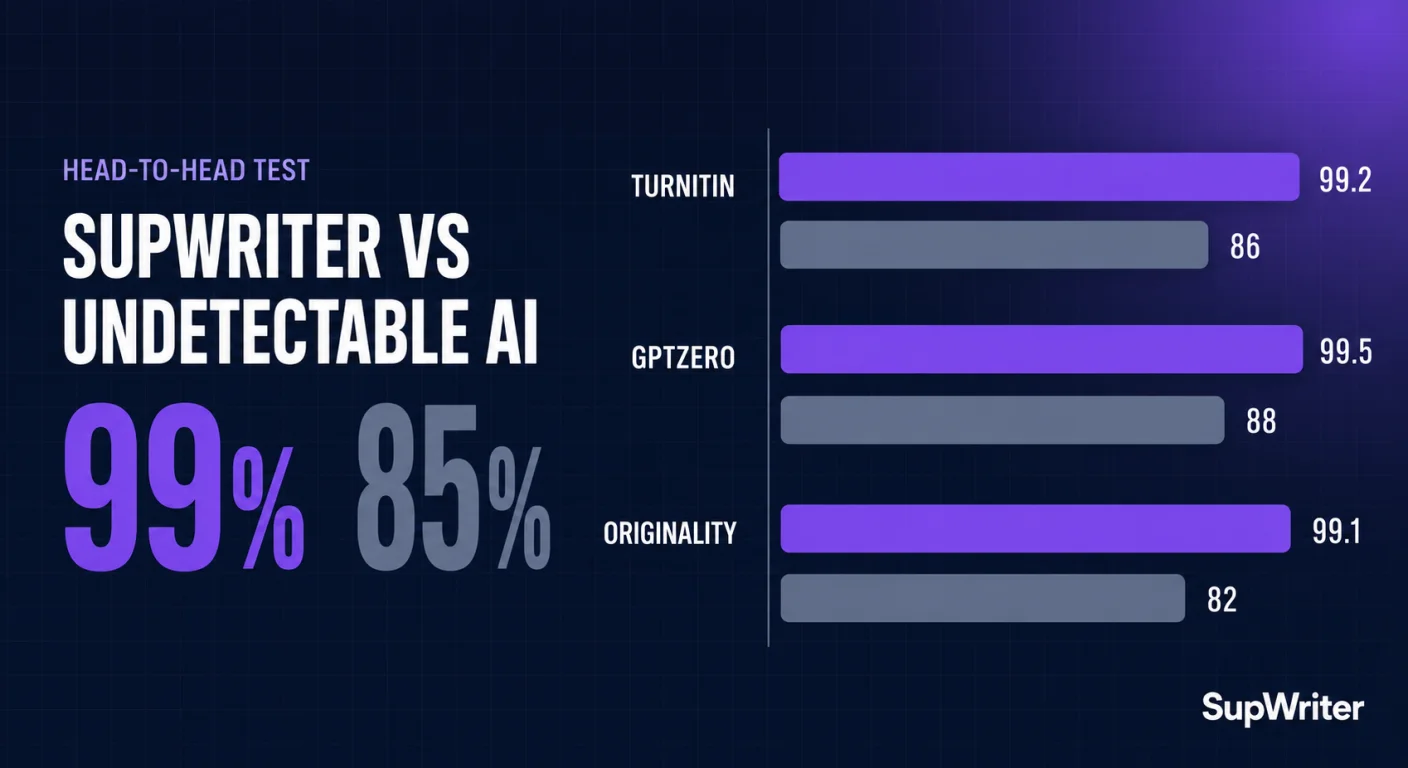
SupWriter vs Undetectable AI: Pricing and Features (2026)